
Description
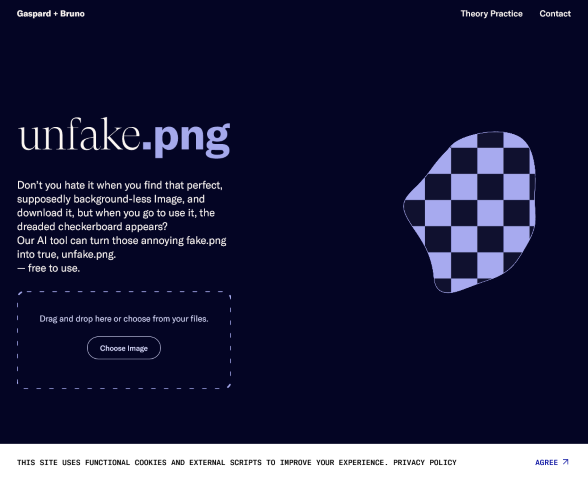
Faux transparent images – the bane of every digital artist and designer’s existence – meet their match with Unfake.png, brought into the creative arsenal by Gaspard+Bruno. This AI-powered solution targets the all-too-common dilemma of seemingly transparent PNG files that, upon download, reveal an unwelcome checkerboard pattern. Unfake.png skillfully strips away the pretence, leaving nothing but crisp, genuine transparency in its wake.
Navigating layers and backgrounds becomes a thing of past frustration as this tool paves the way for seamless image integration. Unfake.png is pivotal for professionals and hobbyists who demand authenticity and ease in their creative processes. Its purpose is singular yet impactful: it transforms deceptive images into the true, usable files designers thought they had obtained.
Works great for
- Image Editors.
- Designers.
- Content Creators across digital platforms in need of faithful images to elevate their visual storytelling.
How this AI App works
Unfurling the fabric of Unfake.png reveals:
- Advanced AI Detection that scans images for counterfeit transparency and identifies deceptive checkerboard patterns.
- Precision Background Removal employs smart algorithms to eliminate unwanted imagery while preserving the subject matter.
- One-click conversion allows users to swiftly turn problematic files into true PNGs, all but eliminating workflow interruptions.
- Batch Processing Options to cater to the needs of professionals with high-volume image requirements.
- Superior Image Quality that ensures the integrity of the original image is maintained throughout the conversion process.
With the prowess of Unfake.png, the era of image transparency deception concludes, ushering in a future where truth in digital assets is merely a click away.
Find similar AI Apps
Category: IT & Software
Category: Design
Visit the app’s website
Another app to consider
Spiritme offers enhancement in image quality, uplift in animation fluidity, or perhaps augmentation in virtual reality environments.
Leave a Reply