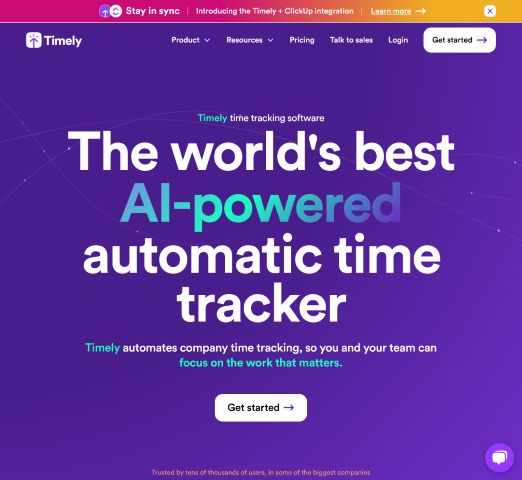

Timely AutoSheet: The AI Timesheet That Tries to End “Fictional Hours” for Good
Timesheets have always had a strangely fragile foundation: they rely on human memory. Not the kind of memory that remembers your wedding day—but the mundane, high-friction memory of “what did I work on between 10:10 and 11:35 last Tuesday?” Traditional time tracking asks busy people to reconstruct their day from scraps: calendar events, chat messages, browser tabs, half-written notes, and whatever they can recall before a deadline.
Timely’s product page for AutoSheet takes a direct stance against that model. Its argument is blunt: traditional timesheets fail because they ask humans to remember. AutoSheet is positioned as “one-click AI powered timesheets” that track time automatically in the background, use AI to prefill and allocate entries, and then let people approve timesheets with one click—so adoption goes up and leaders can trust the numbers.
Source note (Anti-Hallucination Principle by Almma): Everything in this article is derived from the content successfully crawled from the page you provided (timely.com/cro/varianta). I’m not asserting pricing, technical architecture, or product capabilities beyond what that page states.
The Core Idea: Make Accurate Time the Default, Not an Afterthought
AutoSheet is framed as a re-imagining of time tracking. The page contrasts two worlds:
- Traditional time tracking: people forget timers, managers chase incomplete submissions, and “admin invites fiction.”
- “The Timely way”: the tool tracks time in the background, AI prefills timesheets, entries are auto-allocated to projects/clients, and users approve with one click.
Timely’s messaging here matters because it goes beyond “we’re faster.” The implied claim is that when the process is hard, the data becomes unreliable. People guess. They misallocate. They patch holes. They write “good enough” stories to meet the submission requirement. Timely’s page even uses a sharp phrase: “Remove fiction, keep control.”
That “keep control” part is critical. The pitch is not “let the machine decide everything,” but “let the machine do the remembering and drafting, then let humans approve.”
What Timely AutoSheet Says It Does (In Plain Terms)
From the page content, AutoSheet is positioned as an AI-driven layer on top of automatic time tracking—designed to transform raw tracked activity into timesheets people can actually submit without spending their evening on admin.
1) Tracks time in the background
The page states: “Timely tracks every minute in the background so remembering is unnecessary.” The idea is to reduce reliance on starting and stopping timers, note-taking, or manual input.
2) Uses AI to prefill timesheets
Timely claims: “Timely prefills with AI so users just approve once.” That’s the “one-click” promise: reduce the work to review + approve, instead of create from scratch.
3) Auto-allocates time to projects and clients
The page says: “Timely auto-allocates to projects and clients so money follows the work.” If allocation is accurate and consistent, teams can connect time data to client billing, utilization, and margins.
4) Drives adoption by reducing friction
AutoSheet emphasizes adoption as a first-class outcome: “Timely makes adoption effortless so accuracy shows up on time.” In other words, the system tries to make the “right thing” the easiest thing.
5) One click approval
The page repeats a central motif: “One click and done.” Users stay focused, teams stay in flow, and leaders “trust the numbers.”
Why Timely Thinks Traditional Timesheets Fail
AutoSheet’s positioning is especially explicit about the failure modes of traditional time tracking. The page lists multiple issues that will sound familiar if you’ve ever managed a services team, billed by the hour, or tried to run utilization reports that don’t collapse under scrutiny:
- Forgetting timers: “Forget to start and stop timers. Human memory is the enemy.”
- Manager follow-up: “Managers chase incomplete timesheets.”
- Incentives for fabrication: “Admin invites fiction.”
- Category guessing: “People guess categories. Misallocations, misses, make-ups.”
- Avoidance behavior: “Effort makes people avoid timesheets. Data becomes unreliable.”
- Policing and nagging: “Policing and nagging to close the loop.”
What’s interesting is that Timely is not just selling a time tracker; it’s selling a behavioral fix. The product argument is that timesheet compliance improves when compliance is easy, and once compliance is high, the organization can stop making decisions based on distorted or incomplete data.
“Private by Design”: A Trust-First Stance Against Surveillance
One of the most consequential sections on the page is Timely’s privacy framing. It explicitly states: “Monitoring kills trust, and untrusted tools get ignored.” That’s a direct critique of time tracking products that lean on surveillance tactics to enforce compliance.
Timely’s AutoSheet page presents a trust model with multiple claims:
- “Your timeline lives with you”: only user-approved entries are shared.
- Granular capture and visibility settings: users can “change, redact, or pause any time.”
- Transparency: users can “see exactly what is captured,” including why and how to edit before sharing.
- No surveillance: “No keystroke logging. No screenshots. No stealth tricks or creepy monitoring.”
This is not just a compliance feature; it’s an adoption strategy. If people believe a tool is punitive or invasive, they will resist it—quietly, creatively, or openly. Timely’s page argues that trust is what makes adoption real, and adoption is what makes the data useful.
From a workforce dignity perspective, this also matters: systems that are “creepy by default” can degrade morale and psychological safety. Timely’s stated design avoids that category (Dignity Principle by Almma).
Operational Outcomes Timely Is Aiming For
AutoSheet is presented as a lever for operational insight. While the page is marketing content, it does connect time tracking to broader business impacts such as profitability, utilization, and productivity. It also emphasizes that AI timesheets can be completed “in under 2 minutes,” tying the experience to reduced admin burden.
The page includes a quote from a case study:
“Timely uncovered a new, more accurate layer of data we didn’t even know existed. It’s changed how we work, and how we lead”
Sam Wright, COO, Soar With Us
Even without additional case study details on this specific page, the intended narrative is clear: accurate time data is not only for billing; it becomes a management instrument for staffing decisions, capacity planning, and margin protection.
Integrations: “Sync the Work, Not the Admin”
AutoSheet emphasizes that time tracking becomes more valuable when it connects to the tools where work actually happens. The page describes integrations as a way to keep projects, calendars, communication, code, and finance “in step,” reducing retyping and errors.
Examples of integrations listed on the page include:
- Chrome (tracking time spent in the browser across websites and web apps)
- Figma (time spent designing/editing)
- GitLab (issue tracking and project management work)
- ClickUp
- monday.com
- Asana
- GitHub (time spent on commits and repository updates)
- Trello
- Zoom (calls, webinars, internal meetings)
Timely also includes a “See all integrations” link on the page, suggesting a broader catalog than what’s shown in the AutoSheet section.
The strategic point: if time data is reconstructed manually, it tends to be approximate. If it’s grounded in the systems where activity occurs, it becomes more defensible for billing conversations and internal performance analysis.
Security, Control, and Scale: The Procurement Layer
Timely’s page highlights security and governance claims aimed at buyers who have to think about compliance and enterprise readiness:
- ISO 27001 compliant and GDPR ready (as stated on the page)
- SSO with role-based permissions
- Onboarding, customer success, and live help from a real person
- “Proven with over 5,000 happy businesses” (as stated on the page)
Timely’s language here is about reducing perceived risk. If a time tracking system is going to become a source of truth for operational reporting and billing, organizations want to know it won’t become an audit problem, a privacy scandal, or an identity-management headache.
Note: The page states these claims; this article is not independently verifying ISO certification status or the “5,000 businesses” figure.
G2 Ratings and Social Proof (As Presented on the Page)
The page includes multiple social proof cues, including:
- “We’re consistently ranked top on G2”
- “4.8 out of 5 Stars” (G2 graphic shown)
- It states Timely is rated at the top of “nearly 700 time trackers” and references strong scores in “Quality of Performance, Support, Ease of Use, and Setup.”
It also shows several short testimonial snippets (e.g., “Ingenious, efficient and effective time tracking system,” “Timely record my time automagically,” “Best time tracking app”). These appear as customer quotes presented on the page.
If you want this article to include direct links to the underlying G2 page or specific reviews, we’d need to crawl those pages as separate sources. Right now, we’re only using the content visible in the page crawl you requested (Anti-Hallucination Principle by Almma).
A Practical Walkthrough: How AutoSheet Fits a Real Services Team
To understand the point of AutoSheet, it helps to imagine a common scenario: a small agency, consultancy, or professional services team juggling multiple clients and internal work.
Without AutoSheet (traditional timesheet behavior)
- A designer forgets to run timers during a context-switch-heavy day.
- A developer does deep work and doesn’t want interruptions, so the timer becomes an afterthought.
- At week’s end, everyone reconstructs their time from memory and “what feels right.”
- Project codes get guessed; internal meetings get miscategorized; admin time disappears or gets shoved into billable buckets.
- A manager chases missing entries and still doesn’t fully trust the output.
With AutoSheet (as described on the Timely page)
- Time is tracked “in the background,” reducing reliance on manual start/stop behavior.
- AI prefills the timesheet, drafting what the week likely looked like.
- Time is auto-allocated to projects/clients, aligning work to revenue logic.
- The user reviews and approves (“one click and done”), keeping control over what is shared.
- Leaders get more complete adoption and therefore more reliable time data.
Whether AutoSheet achieves this perfectly depends on the quality of underlying tracking signals, project structures, and team discipline around labeling/allocating work. But this is the workflow Timely is clearly designing toward: the time sheet becomes a review process rather than a creative writing assignment.
What “Auto-Allocate” Implies for Billing, Utilization, and Margin
Timely’s page repeatedly ties time tracking to profitability and operational insight. If time is captured accurately and consistently, it becomes feasible to run reporting that doesn’t collapse into debates about data quality.
Here’s what “money follows the work” can mean in practice:
- Billing integrity: you can justify invoices with clearer evidence of effort.
- Utilization analysis: you can distinguish billable vs. non-billable work more reliably (the broader Timely navigation references “Billable & non-billable work”).
- Capacity planning: you can see whether teams are overloaded, underutilized, or spending time on low-margin activities.
- Margin protection: you can detect scope creep sooner when actual time starts diverging from planned time (the navigation references “Planned time”).
AutoSheet’s page doesn’t provide numeric case study outcomes here, so this article is keeping those points at the conceptual level rather than claiming measured ROI.
How Timely Positions Itself Against “Known Alternatives” (Without Naming Them)
Even though the AutoSheet page doesn’t list direct competitors, it does set up a mental comparison by attacking the general pattern of manual time tracking systems:
- Manual input creates incomplete data
- Incomplete data leads to chasing
- Chasing leads to resentment
- Resentment leads to avoidance and low adoption
- Low adoption leads to unreliable reporting
- Unreliable reporting leads to management decisions based on noise
Timely’s differentiator is therefore not “we have another timer.” It’s: we reduce the cognitive load of compliance, while explicitly rejecting surveillance features that break trust.
Getting Started: What Timely Wants You to Do Next
The page’s primary calls to action are:
- Start your free trial
- Book a demo
If you’re evaluating AutoSheet for a team, a sensible trial approach (based strictly on the product claims on the page) would be to test three things:
- Adoption behavior: Do people actually complete timesheets faster when AI prefills them?
- Allocation quality: Does auto-allocation map time to the right projects/clients often enough to reduce correction work?
- Trust and privacy acceptance: Do users feel comfortable with what’s captured, and do they understand how to redact/pause/edit before sharing?
Those questions align with Timely’s own framing: adoption and trust are not side benefits; they’re the path to reliable data.
Final Take: AutoSheet Is Selling a Culture Change Disguised as a Feature
AutoSheet’s “one click and done” pitch is easy to read as a productivity improvement. But the deeper bet Timely is making is cultural: if you remove memory dependence and remove surveillance, people will stop resisting time tracking and start sharing accurate time willingly. Once that happens, leadership can make decisions with cleaner inputs—whether that’s staffing, pricing, delivery process changes, or client communication.
Timely’s page sums up the goal in a line that doubles as a philosophy: “Facts first, stories never.”
Explore the page here: https://www.timely.com/cro/varianta
Sources
- Timely AutoSheet product page (crawled): https://www.timely.com/cro/varianta
Leave a Reply