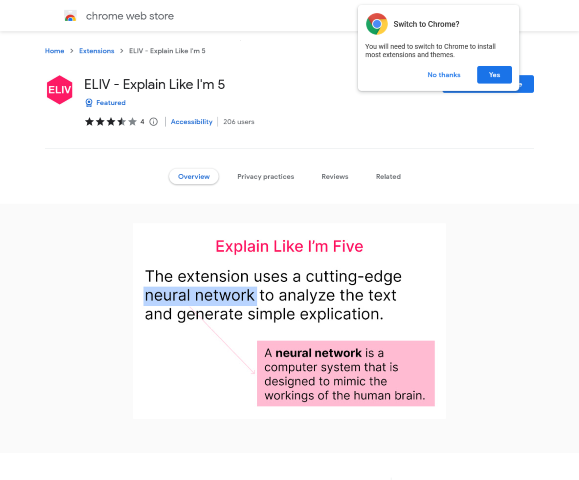

Introducing ELIV – Explain Like I’m 5
ELIV, short for Explain Like I’m 5, is a revolutionary Chrome extension designed to break down complex concepts into simpler, more digestible forms. This tool aims to enhance comprehension and clarity, making it easier for users to understand intricate ideas.
How ELIV Works
ELIV operates as a Chrome extension, seamlessly integrating into your web browsing experience. Once installed, it allows you to highlight complex text, and the extension will provide a simplified explanation. This feature is particularly useful for students, educators, and anyone seeking to enhance their understanding of complicated subjects.
Cost of Using ELIV
ELIV offers a free basic version with essential features. For users seeking enhanced functionality, there is a premium version available at a modest subscription fee. This ensures that everyone can benefit from its capabilities, regardless of their budget.
Who Benefits from ELIV?
- Chrome Users: Anyone using the Chrome browser can easily integrate this extension to simplify their reading materials.
- Information Seekers: Individuals who frequently encounter complex information will find ELIV invaluable in enhancing their understanding.
- Educators: Teachers and tutors can use ELIV to make learning materials more accessible to their students.
The Creators Behind ELIV
ELIV was developed by a team of experienced software engineers and educators who recognized the need for a tool to simplify complex information. Their combined expertise has resulted in a user-friendly extension that meets the needs of various user groups.
User Reviews and Feedback
Users have praised ELIV for its simplicity and effectiveness. Many have highlighted its ability to make learning more accessible and enjoyable. The extension has received commendations for its intuitive design and efficiency in breaking down complex topics.
Future Prospects for ELIV
In the coming year, ELIV aims to expand its capabilities, offering more languages and specialized simplifications for different fields. The development team is committed to continuously improving the extension based on user feedback.
How to Learn More
To learn more about ELIV and to download the extension, visit the Chrome Web Store. For the latest updates and features, keep an eye on their official website and join their user community for discussions and support.
Share Your Experience and Feedback
If you have used ELIV, we invite you to leave a comment and share your experience. Your feedback is invaluable in helping us enhance the tool. Additionally, let us know what other AI applications you would like us to cover in future articles.
Feel free to share this article with your network to help others discover the benefits of ELIV. Stay tuned for more in-depth reviews and insights into the latest AI applications.
Leave a Reply