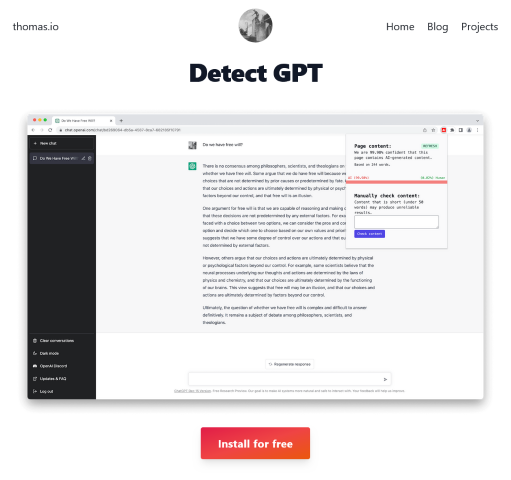

AI text generation is now everywhere—from social media posts to research reports. While these advances are exciting, they have raised one pressing challenge: how do we know what’s written by a human and what’s generated by AI?
Detect GPT, a free Chrome extension from Thomas.io, tackles this problem head-on. It gives journalists, researchers, educators, and everyday users a simple, fast, and accessible way to spot AI-generated text in real time.
How It Works
Once installed, Detect GPT silently scans the content of the pages you browse. The extension’s icon changes color when it detects AI-generated writing.
If you have specific text you want to verify, you can paste it into the built-in form. The system will immediately analyze the content and provide a clear authenticity check.
Why It Matters
The rise of AI text tools like ChatGPT, Claude, and Gemini has blurred the lines between human and machine output. While AI can be used for positive, creative, and productive purposes, it can also spread misleading or fabricated content. Detect GPT empowers users to perform quick content checks before trusting or sharing online material.
In research, this tool helps verify source material. For content creators, it ensures transparency. For the general public, it builds confidence in the information they consume.
Who It’s For
- Journalists & Fact-Checkers – Verify quotes, press releases, and claims.
- Researchers & Academics – Ensure citations and references come from human-generated sources.
- Content Creators – Maintain credibility by validating original work.
- Everyday Internet Users – Gain peace of mind by avoiding AI-spun misinformation.
The Bigger Picture
Detect GPT isn’t just another browser tool. It’s part of a growing movement to restore trust online. By placing AI detection directly in your browsing experience, it offers instant verification without extra hassle.
With AI content generation evolving quickly, solutions like Detect GPT may become essential safeguards for maintaining authenticity in our digital lives.
Leave a Reply