

If you want to save time, maintain consistent outputs, and optimize your AI productivity tools, the Presets feature is your secret weapon. With the Presets function, you can store your preferred AI configurations, model settings, and parameters, and quickly apply them to any session. This eliminates repetitive setup time and ensures you get consistent results for any AI-powered project.
Whether you’re automating workflows, generating content, or analyzing data, Presets allow you to switch between work modes with a single click.
What Are AI Presets?
Presets are saved profiles of your AI settings — including model choice, creativity level, response length, and formatting preferences. Instead of reselecting these every time, you can create presets for specific purposes, such as:
- Creative Writing Preset – High creativity and open-ended responses.
- Technical Preset – Factual, concise, and data-focused.
- Data Analysis Preset – Structured outputs and numerical accuracy.
By leveraging presets, you enhance workflow automation and reduce the risk of inconsistent outputs across sessions.
Accessing and Importing Presets
When no preset is active, your AI workspace clearly shows No default preset active.
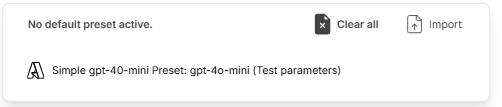
At this point, you can import an existing preset or create one from scratch. Importing presets makes it easy to transfer configurations across devices or share them with teammates for unified results.
Switching Between Presets in Seconds
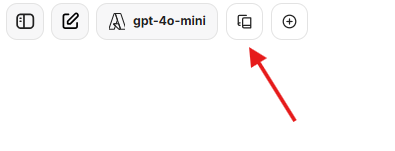
Once you’ve set up your AI presets, switching between them is effortless. They appear as clickable model tabs that can be activated instantly.
Here, the gpt-4o-mini preset is active, and the red arrow points to the preset’s settings icon for quick editing.
This fast switching lets you transition from marketing content creation to structured database queries or coding assistance in just one click.
Why AI Presets Improve Productivity
- Speed & Efficiency – Start any task with optimal settings instantly.
- Consistency – Keep tone, structure, and style uniform across outputs.
- Collaboration – Share presets with teams to ensure aligned AI-powered work.
- Experimentation – Duplicate and tweak presets for A/B testing creative or technical parameters.
Pro Tips for Power Users
- Set a Default Preset to ensure every session starts with your ideal AI configuration.
- Create dedicated presets for SEO content writing, data interpretation, or customer service automation to cover multiple workflows.
Conclusion
The Presets feature is an underrated yet powerful addition to any AI productivity toolkit. By building and refining presets, you can streamline your workflow, boost automation efficiency, and ensure consistent high-quality outputs.
If you work with AI daily — as a content creator, data analyst, marketer, or developer — presets let you work smarter, switch faster, and optimize your AI potential.
Leave a Reply